
Windows環境でExploratoryをインストールしたり、アップグレードした際、Exploratoryの起動時に
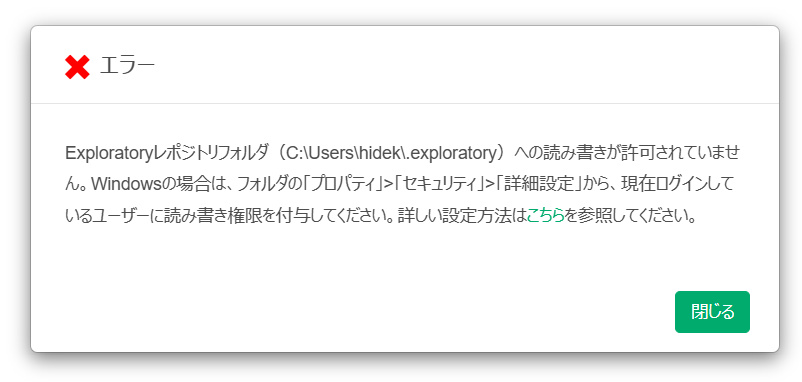
Exploratoryレポジトリフォルダへの読み書きが許可されていませんというエラーや、Operation not permitted. Please check file permissions and try again. というエラーが表示され、Exploratoryが開かないことがあります。
原因
ちらのエラーはエラー画面に表示されているレポジトリのディレクトリに対して、Windowsにログインしているユーザー自身の書き込み権限が付与されていないことが原因です。
なお、Exploratoryのレポジトリは、デフォルトでは C:\Users\<ユーザー名>\.exploratoryに作成されますが、ご自身で異なる場所にレポジトリを指定されている場合は、該当のディレクトリ情報がエラーダイアログに表示されます。(今回のスクリーンショットではC: \Users\hidekl.exploratory))
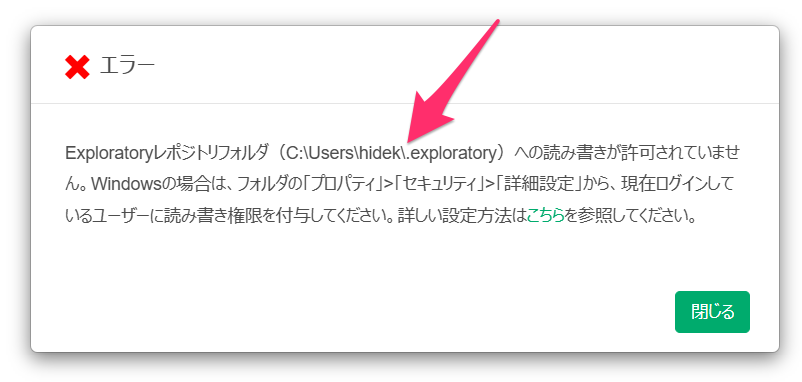
Exploratoryが問題なく動作するためには、ログインユーザーがレポジトリのディレクトリに対して「フルコントロール」の権限を持っている必要があります。
なお、この問題はExploratoryを「管理者として実行」で起動していても解決しません。「管理者として実行」は起動時に管理者の権限を借りているだけで、ログインユーザー自体に付与された権限は不足したままとなるためです。
対処方法
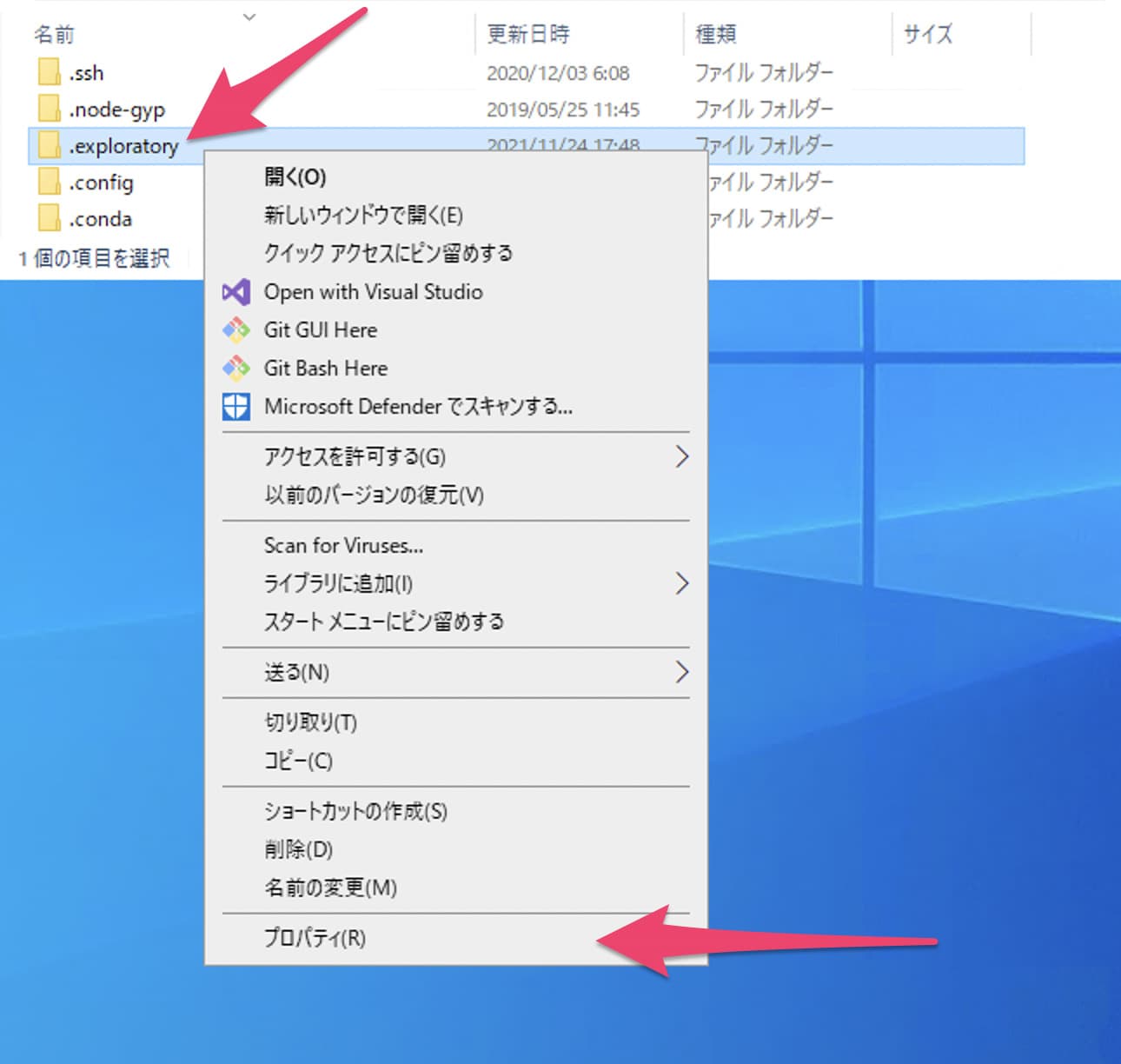
まず、エクスプローラーで、レポジトリのディレクトリを開きます(.exploratory は隠しフォルダのため、エクスプローラーの「表示」から隠しファイルを表示する設定にしてください)。
次に.exploratory フォルダを右クリックして、メニューからプロパティを選択します。
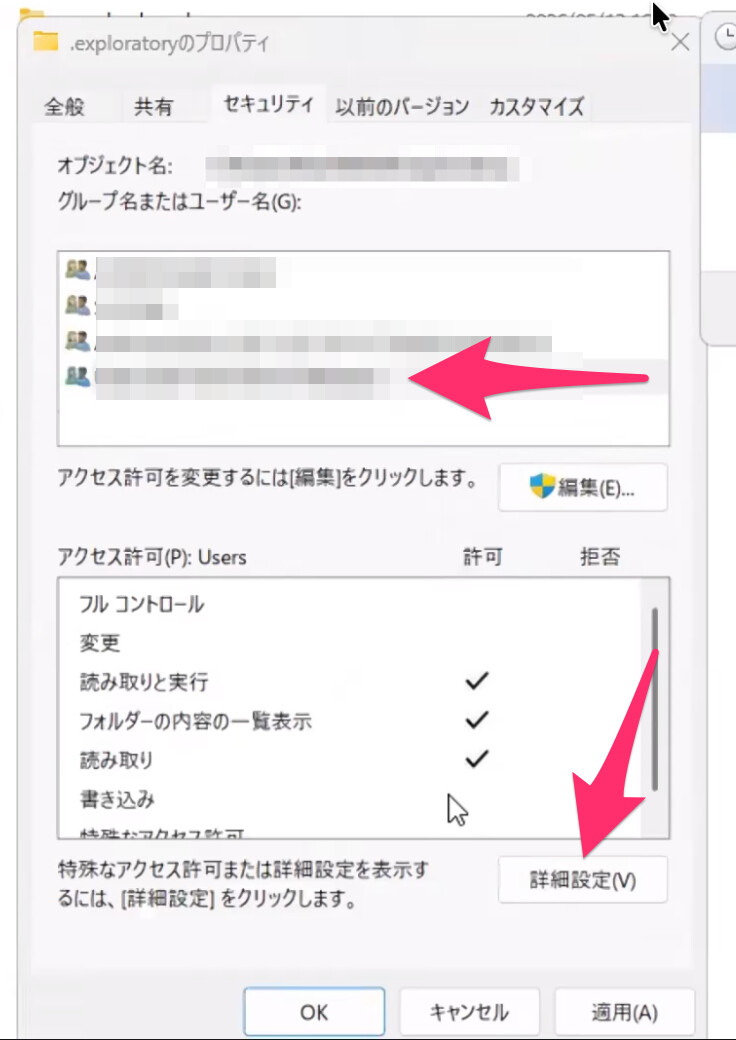
プロパティダイアログが開いたら、セキュリティタブを選択します。
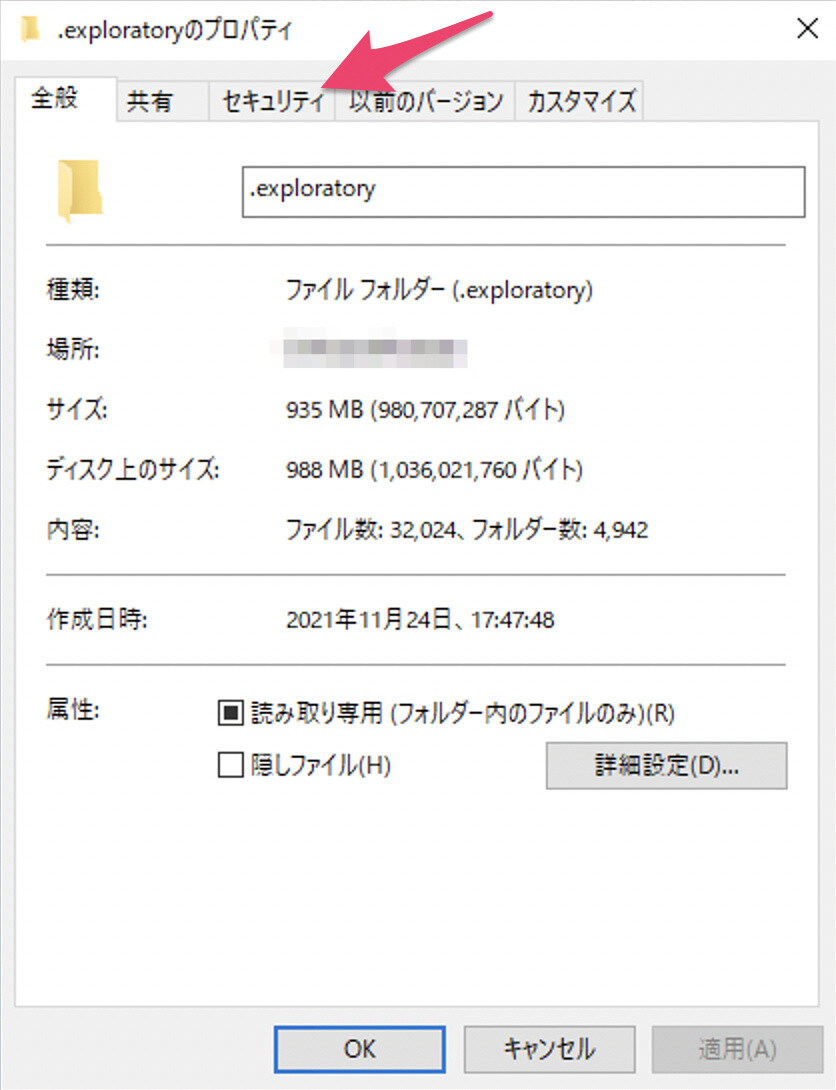
なお、この画面の「読み取り専用」のチェックボックスは、ディレクトリが読み取り専用に設定されているような印象を与えますが、実際にはそうではありません。こちらは無視して問題ありません。
セキュリティタブ上で、「詳細設定」ボタンをクリックします。
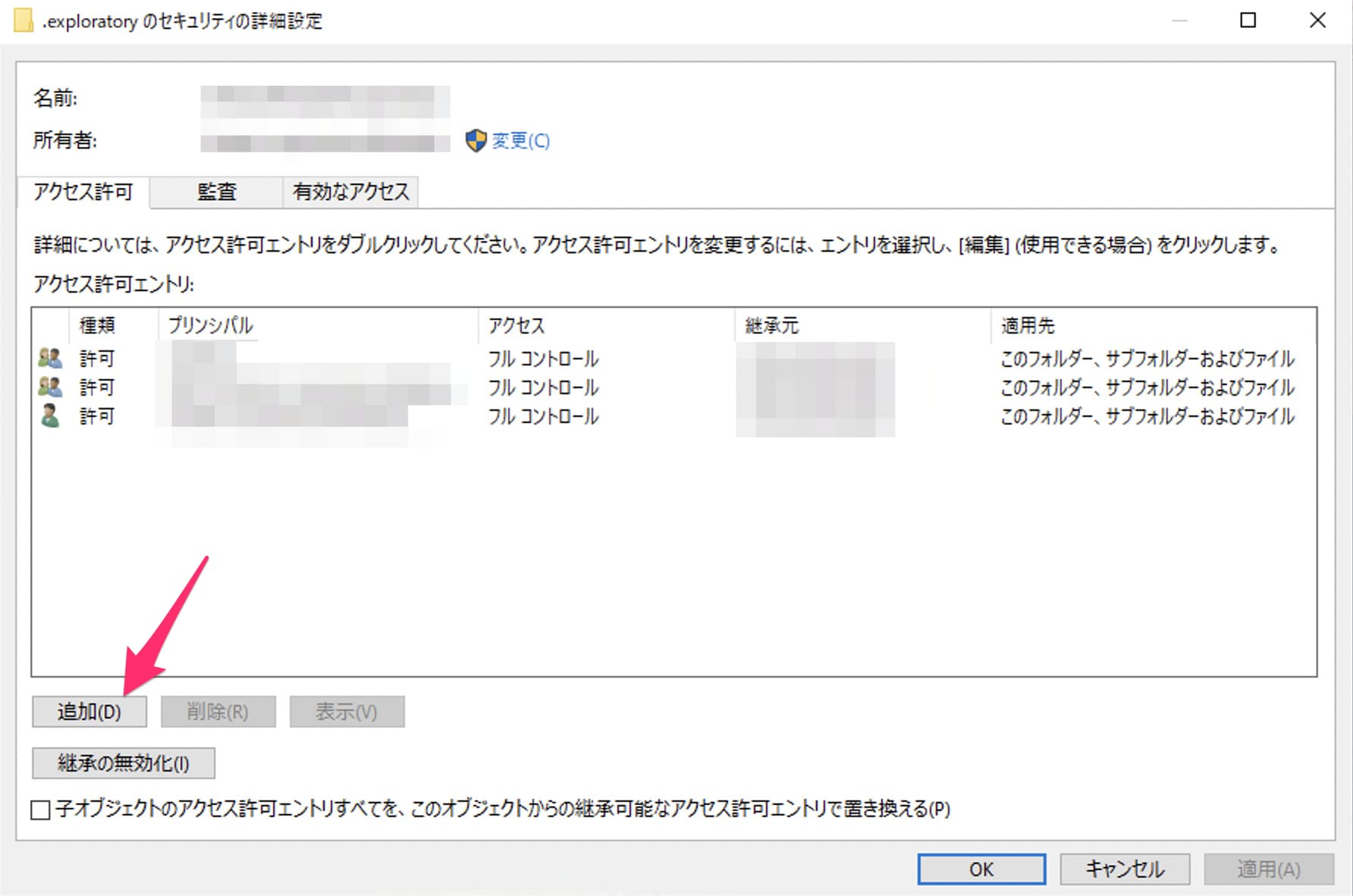
詳細設定のダイアログでは、このディレクトリに対して、どのユーザーが何をする権限を持っているのかを確認できます。ご使用のユーザーが「フルコントロール」の権限を持っている必要がありますので、権限が不足している場合は、「追加」または「編集」のボタンをクリックしてアクセス許可を「フルコントロール」に変更して適用してください。
権限を付与したうえで、Exploratoryのインストーラーを右クリックし、「管理者として実行」で再度インストールすることで多くの場合、この問題は解決します